
This article has been reviewed and updated with current information, new examples, and the latest academic requirements for 2026
MLA 9 formatting combines consistent page design, author-page in-text citations, and a carefully structured Works Cited list. Knowing the MLA 9 referencing guidelines will help writers to document evidence clearly with proper credits to the source, avoid plagiarism, and maintain academic integrity.
The success of your academic work depends not only on your ideas but also on where they come from. In such a way, MLA 9 Formatting proves its usefulness and importance.
The ninth edition of the MLA Handbook was published by the Modern Language Association of America in 2021. The handbook provides instructions on the research process, source evaluation, MLA paper formatting, in-text citations, the Works Cited list, notes, and academic integrity issues. Also, it features a flexible template with core elements that make it possible to cite different types of sources, such as books, journal articles, websites, videos, social media posts, and other digital materials.
If you are unsure how to do paper formatting and referencing in MLA 9 citation style, read this blog post. Here, you will learn how to format an MLA paper, the ways of citing sources in the text, and creating a Works Cited page.
What is MLA 9 Formatting?
MLA 9 Formatting refers to the rules presented in the 9th edition of the MLA Handbook. They help students format their academic papers and cite sources accurately. It is commonly used in the humanities subjects, such as English, literature, cultural studies, languages, and related fields.
This system consists of two interconnected components:
- In-text citations: These are short references placed within the main text of the academic paper.
- Works Cited: It is a list of complete entries for the sources that are cited in the entire paper.
The principle of this referencing style is simple. The reader must be able to match an in-text citation with its corresponding entry in the Works Cited list. According to the MLA Style Center, in-text citations are brief references that direct the reader to the corresponding entry in the Works Cited list and then, if needed, to a particular part of the source.
MLA 9 style concentrates on the evaluation and documentation of sources. Therefore, you do not need to remember the special citation formula for every type of source. But you will have to determine the relevant information according to these nine core elements of a source:
- Author
- Title of source
- Title of container
- Contributors
- Version
- Number
- Publisher
- Publication date
- Location
Not every source will have all nine elements. Hence, you have to use only those elements that are relevant to the source you cite. This approach is useful since modern academic research involves numerous sources. For example, your paper may include printed books, articles in online journals, YouTube videos, papers in databases, and websites. MLA 9 offers a standard framework for citing these various sources.
As far as the importance of referencing in academic writing is considered in general, citation is not just a set of formatting rules that you have to memorize. It will help your readers find the sources you used and the path of your research. Moreover, it will distinguish your ideas from those of other scholars.
MLA 9 Paper Formatting: The Basic Rules
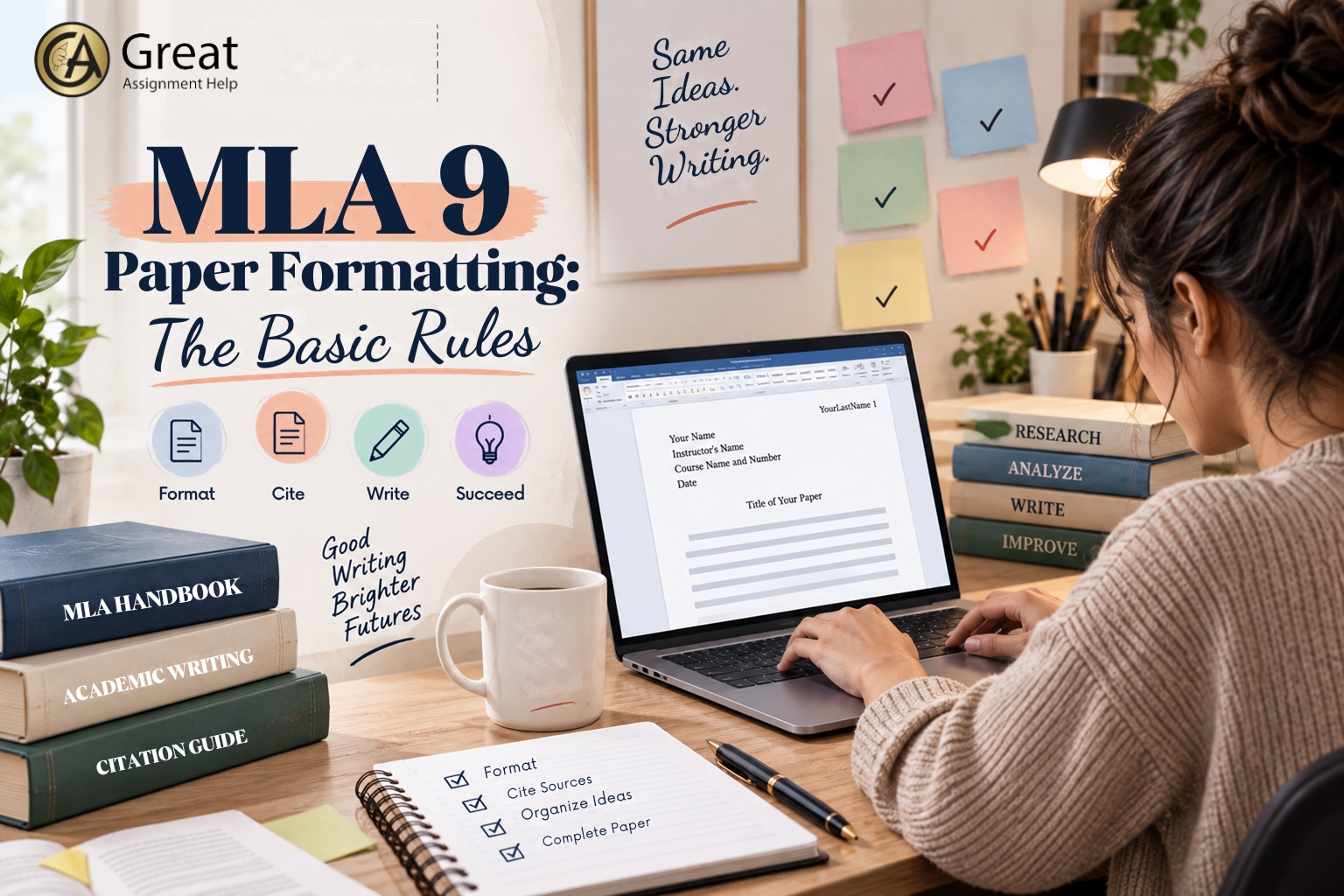
Before you work in detail with specific citations, make sure to format your document correctly. Remember, MLA 9 is not about designing papers. This formatting style aims to present clean and easy-to-read papers so that it will become easy for readers to concentrate on the arguments presented in them. Here, let us explore the basic paper formatting rules of MLA 9
Page setup
As per MLA 9 formatting guidelines, a common research paper should include:
- 1-inch margins on all sides.
- A clear and consistent font, often 12-point Times New Roman, unless your instructor asks for another readable font.
- Double spacing across the entire paper.
- A 0.5-inch first-line indent for each paragraph.
- Consecutive page numbers on every page.
- The writer’s last name followed by the page number in the upper-right header.
- No extra blank lines between paragraphs.
Several universities follow these basic MLA 9 formatting rules. However, your instructor may ask you to adhere to other formatting requirements. Therefore, always check your assignment guidelines before you begin your work.
First-page heading
In an MLA research paper, you do not need an additional title page unless your instructor requires one.
Usually, the first page consists of the following four left-aligned lines:
- Your name
- Name of your instructor
- Course name and number
- Date
Then, you should place the title of your paper on the next line and center it. Keep in mind that the title needs to be clear and legible. You don’t need to make it bold, underlined, or enclosed in quotation marks for any special reason. After adding the title, you should continue writing the main body of your paper.
If your professor or institution requires you to use a separate title page, then instead of giving priority to a general formatting guide, follow the requirements given by them.
Headings and sections
MLA does not require the use of headings in all papers. However, the inclusion of headings will make the long research papers readable and comprehensible.
In case you choose to use headings, make sure that the formatting is consistent across the entire paper. Also, never include any headings just because they are included in some template. Use headings only to organize your ideas and structure your argument.
Tables, figures, and illustrations
In case you use relevant illustrations, figures, tables, or any other visuals from any source, you will need to provide proper citation of the source. This will help readers understand the reason for including them in the paper and how it supports your main argument. MLA 9 style guide also provides guidelines for the sources used in web projects and other nontraditional formats.
How to Cite Sources in MLA 9
Learning how to cite sources is essential when using MLA 9. The general format for citing in MLA is commonly referred to as the author-page system.
For instance: (Smith 24)
Here, the author’s surname directs readers to the proper Works Cited list entry, and the number specifies which page the content was found on.
If you have already included the author’s name in your sentence, then you need not repeat it unnecessarily.
Example: Smith explains that academic citation builds up research credibility (24).
If you do not mention the author’s name in the sentence, include it in the parenthetical citation like this
Example: Academic citation may improve the credibility of an argument (Smith 24).
The MLA Style Center suggests keeping the citation brief and avoiding redundant information.
What if there is no page number?
Most online sources lack page numbers. In such cases, never create any numbers.
If the name of the author appears first in the Works Cited, then when you add an in-text citation, use the author’s surname like this:
(Johnson)
If there is no author, use a shortened version of the title for in-text citation:
(“Digital Literacy”)
The objective here is to give as many details as possible for your readers to find the correct Works Cited entry.
Two authors
When citing a source that has two authors, write down both surnames:
(Garcia and Lee 42)
Three or more authors
When citing a work that has three or more authors, the MLA style requires using et al. after the first author’s surname:
(Garcia et al. 42)
Multiple works by the same author
In case you cite several works by the same author, include a shortened title in parentheses:
(Smith, Academic Writing 24)
This technique will be useful in writing research papers when you use several sources by the same author.
Quotations
A direct quotation means repeating someone else’s words. Short quotations should be put in quotation marks and cited properly.
Example: Students have to make sources visible to let their readers trace an idea to its source (Author 24).
In case you use a quotation from a source that has a specific page number, include it in your parenthetical citation.
For longer quotations, MLA offers the block-quotation formatting rules. Generally, the exact format of the block quotation varies depending on the length and context of the quoted text. Therefore, when you use a block quotation, read the ninth edition of the MLA Handbook or MLA Style Center and follow the rules accordingly.
Paraphrasing and Summarizing
Citation goes beyond quoting directly. You need to cite someone else’s ideas even when you paraphrase or summarize them. This is important because changing the words used to express a particular idea does not mean changing who owns the idea.
According to research on citation instruction, students have difficulties in differentiating between proper use of sources and plagiarism, and citation instruction can improve source-use practices. For better understanding, read this article on how to cite sources in an essay.
How to Build the MLA 9 Works Cited Page
One of the most frequent MLA errors is referring to the final source list as a “Reference Page”. In MLA style, the correct name for this list is “Works Cited”. APA generally calls its final list “References”. The difference is more than terminology because the two styles also organize in-text documentation differently. For a quick comparison, see this article on the difference between APA and MLA.
Works Cited page includes those sources that are cited in the paper. It does not necessarily include all the books consulted during the research process.
It must:
- Start on a new page after the main text
- Maintain the number of pages in the paper
- Have the heading “Works Cited,” which should be centered
- Be double-spaced
- Be organized alphabetically
- Have a 0.5-inch hanging indent for each citation
- Include only cited sources, unless there are other requirements from the instructor
The MLA Style Center and university writing centers provide additional guidance on these rules.
Standard MLA Template
The general MLA template includes these 9 core elements, but not every element is needed.
Author. “Title of Source.” Title of Container, Other Contributors, Version, Number, Publisher, Publication Date, Location.
The strength of this system is flexibility. The MLA Style Center explains that writers should evaluate the source and include the core elements that apply.
Book example
A simple format for a book is:
Morrison, Toni. Beloved. Vintage, 2004.
As seen in MLA’s example formats, the beginning of a simple book citation always includes the author, title, publisher, and year of publication.
Journal article example
In addition to an author, a journal article may have the components, such as article title, journal title, volume, number, year of publication, page numbers, and DOI (or other location information).
Author, First Name. “Article Title.” Journal Title, vol. 10, no. 2, 2024, pp. 25–40. https://doi.org/xxxxx.
Website example
For a website, a citation may include:
Author, First Name. “Title of Web Page.” Website Name, Publisher, Date, URL.
Do not assume that all websites will require all of these components. In MLA 9, you will have to evaluate the source and cite the information that helps readers identify and locate it.
Database sources
If you find an article through a database, the database itself becomes the container. You may need additional components, such as a DOI or URL, depending on the nature of the source and its availability.
What matters is maintaining the connection between the article and the larger publication or database.
Online videos and social media
MLA 9 also includes guidelines for citing new kinds of digital sources, including YouTube videos, social media postings, online images, and other online content. The ninth edition explicitly included more examples from various types of publications.
Don’t make a digital source fit into a preexisting “website citation” template. Rather, figure out what the source is, and then use the core element template.
MLA 9 Citation Framework: A Simple Workflow
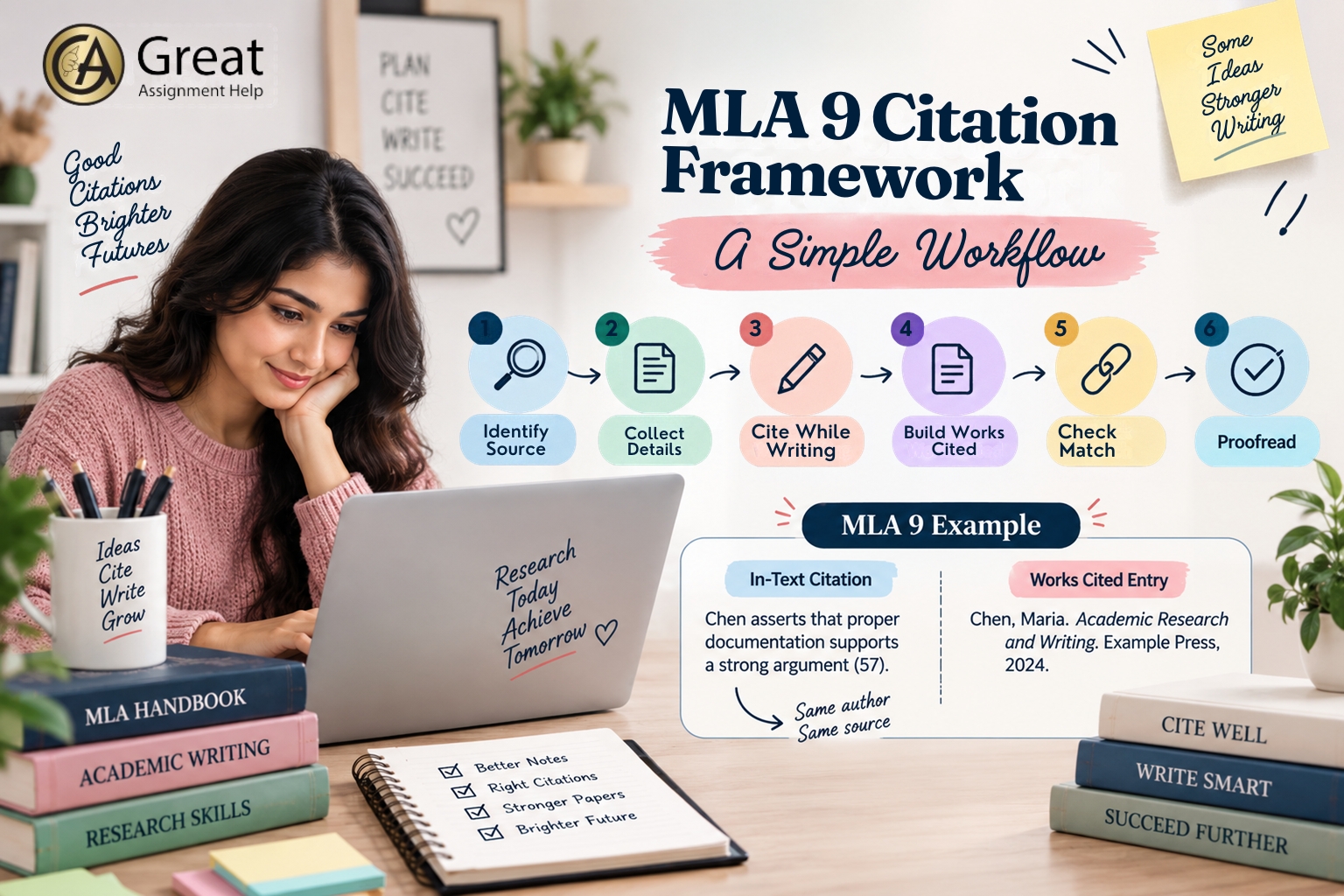
Instead of generating citations at the last minute, follow this step-by-step process
1. Identify the source
First, identify the type of source you are citing to find out which MLA 9 rules you need to follow. The source could be a book, journal article, website, video, book chapter, interview, social media post, database article, or AI-generated material. Learn how to cite AI tools in academic work to maintain integrity.
2. Collect the source details
Next, gather the important information about the source, such as the author’s name, title, container, contributors, version, number, publisher, publication date, and location.
3. Cite while writing
After that, when you quote, paraphrase, and summarize any content in your paper, include the in-text citation immediately. Postponing will make it more likely for you to forget the sources.
4. Build the works-cited entry
Use the MLA core-element template rather than guessing from an old citation example.
5. Check the match
All in-text citations must refer to Works Cited entries. Similarly, do not write an un-cited Works Cited entry in your paper unless your assignment explicitly asks for a bibliography or Works Consulted section.
6. Proofread the details
Finally, check author names, capitalization, italics, quotation marks, punctuation, dates, page spans, DOI or URL, alphabetical order, and hanging indents. This check is essential because it helps to avoid certain citation mistakes.
MLA 9 Example
If you use a book by an author named Maria Chen and quote material from page 57, then in your essay, you should cite like this
Chen asserts that having proper documentation enables the readers to judge the evidence supporting the claim in academic research (57).
Moreover, your Works Cited entry should look like this:
Chen, Maria. Academic Research and Writing. Example Press, 2024.
Here, observe the connection. That is, Chen in the text leads readers to Chen in the Works Cited list, while 57 identifies the relevant page.
Since the publication details have been provided at the end of the essay, the citation remains brief.
Conclusion
It is easy to follow MLA 9 formatting guidelines if you have a good comprehension of its logic. When it comes to using MLA 9 style, you should format the paper correctly, link in-text citations to the Works Cited list, and use the nine core elements to build source entries.
The key rule is that instead of memorizing hundreds of isolated examples, you should learn how to identify the information that makes each source traceable. Most importantly, you should document all the quotations, paraphrases, and summaries you make, and ensure that all the entries on the Works Cited page are accurate and connected to your text. Also, you should consult your instructor’s assignment guidelines for citing sources in MLA 9 format.
With regular practice, you can master MLA 9 referencing style. If you require citation support, approach Great Assignment Help. Our professionals help with all types of citation formats involved in academic writing.
FAQs
1. Does MLA 9 require a title page?
In MLA format, there is no need for a title page unless required by your instructor. A standard MLA paper begins with the student’s name, instructor’s name, course information, and date on the first page, followed by the centered title.
2. Is MLA a reference page or Works Cited Page?
In MLA, the proper term is Works Cited. The page includes sources referred to in the paper. “Reference” page is more appropriate for citation styles like APA.
3. How do I make a Works Cited Page in MLA 9?
Begin the Works Cited page on a separate page, center the heading, double-space the citations, put them in alphabetical order, and use the hanging indent format. Use the core elements of MLA format to create each citation entry.